Etsy Fee Calculator
Take complete control of your e-commerce pricing. Calculate listing renewals, transaction commissions, regional card processing, and offsite ad rates to protect your margins and scale your profits instantly.
Configure Calculator
Adjust inputs below. Calculations update instantly.
Calculation Ready!
You have adjusted the input fields. Click the Calculate Fees & Profit button below or at the bottom of the configurator form to view your updated profit margins and ROI.
Pricing Strategy Suggestion
To lock in a healthy net profit margin above 50%, your product list price should be at least $77.00. Use coupons or free shipping offers strategically, and bundle low-cost items to bypass flat-rate card fees.
Etsy Fee Calculator: Know Exactly What You'll Pay Before You List
You made the sale. Now Etsy takes its cut, and if you've ever been surprised by how much smaller your payout is than the price tag, you're not alone. Between listing fees, transaction fees, payment processing fees, and currency conversion, it's easy to price a product at $30 and end up with $24 or less in your pocket.
An Etsy fee calculator solves that problem before it happens. Instead of guessing, you plug in your sale price and shipping cost, and it tells you what Etsy will keep and what you'll actually take home. This guide walks through how the calculator works, what each fee actually means, and how to use the numbers to price your products so you're not losing money without realizing it.
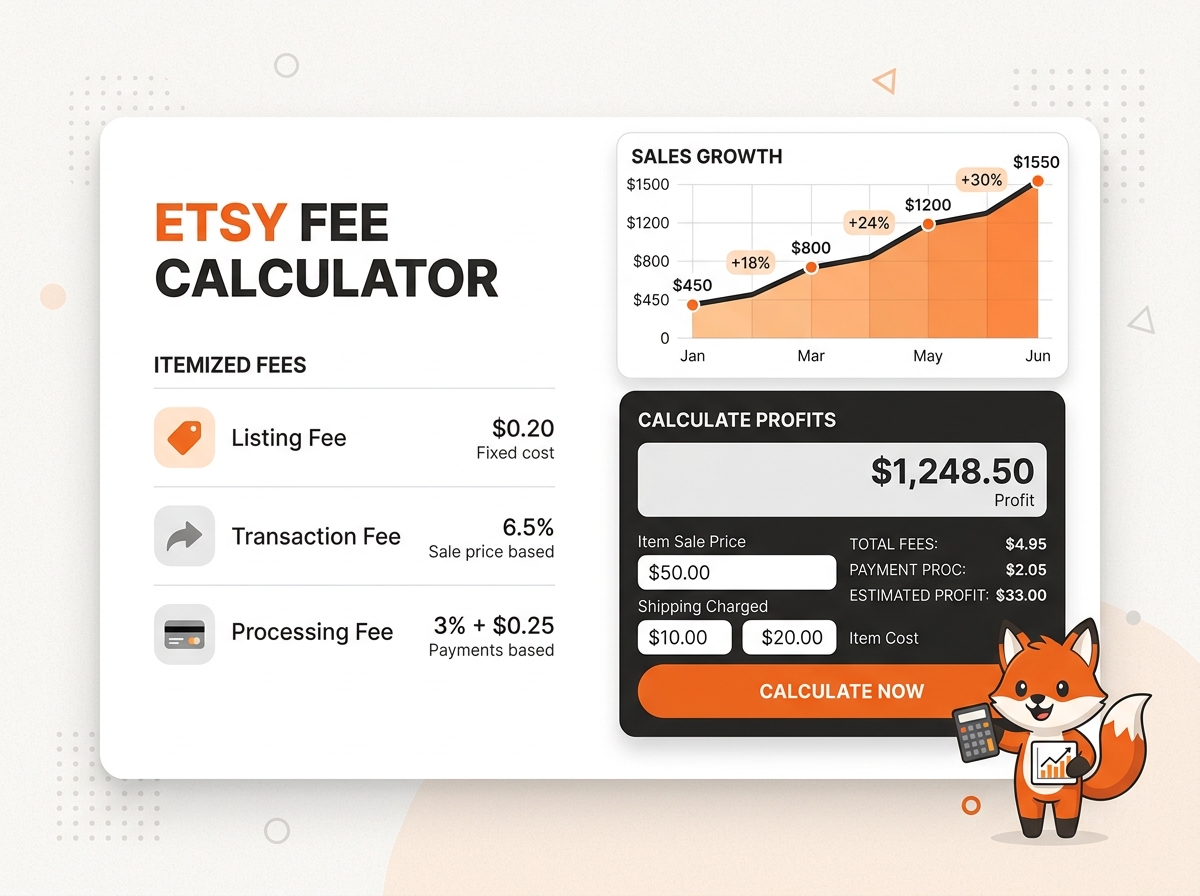
What an Etsy Fee Calculator Actually Does
At its core, the tool takes your listing price, shipping charge, and sometimes your product cost, then runs the math on every fee Etsy applies to a sale. The output is your net profit — the amount that lands in your bank account after Etsy and your payment processor take their share.
Most calculators account for:
- •Listing fee — a flat $0.20 charged when you publish or renew a listing
- •Transaction fee — a percentage of the total sale price, including shipping
- •Payment processing fee — a percentage plus a fixed amount, charged by Etsy Payments
- •Currency conversion fee — applies if you sell in a currency different from your bank's currency
- •Offsite Ads fee — a percentage taken only if your sale came through an Etsy-placed ad
- •Regional VAT or GST — where applicable, depending on where your shop is based
You enter your numbers once, and the calculator handles the arithmetic that would otherwise take a spreadsheet and a lot of patience.
Why Manual Math Falls Short
Etsy sellers who try to calculate fees by hand usually make one of two mistakes. Either they forget that the transaction fee applies to shipping too, not just the item price, or they forget to add the fixed payment processing fee on top of the percentage.
Here's a simple example. Say you sell a handmade mug for $25 with $6 shipping.
- Transaction fee (6.5% of $31):$2.02
- Payment processing fee (3% + $0.25 of $31):$1.18
- Listing fee:$0.20
- Total fees:$3.40. Your payout is $27.60, not the $31 you might expect from the sale total.
Now multiply that kind of miscalculation across fifty orders a month, and it's clear why so many shop owners feel like their margins are thinner than they planned for. A calculator catches this instantly, before you set a price you'll regret.
How to Use the Calculator Step by Step
- Enter your item price. This is what the customer sees on the listing.
- Add your shipping charge, if you charge separately. Etsy's transaction fee applies to this amount too.
- Input your product cost (materials, packaging, your time) if you want to see actual profit, not just fees.
- Select your shop's country. Fee percentages and currency rules shift depending on where your shop is registered.
- Check the Offsite Ads box if you're enrolled in that program, since it adds an extra fee on qualifying sales.
- Review the breakdown. A good calculator shows each fee line by line, not just a final number, so you can see exactly where your money is going.
Once you see the full breakdown, adjusting your price to hit a target profit margin becomes a lot easier than trial and error.
Etsy Fee Calculator for Digital Products
Digital downloads work a little differently. There's no shipping fee to factor in, and no packaging cost, but the transaction and payment processing fees still apply to the full sale price.
This matters because a lot of digital product sellers assume their margins are close to 100% since there's no physical item involved. In reality, Etsy still takes its standard cut — usually around 9-10% combined between transaction and processing fees — plus the flat $0.20 listing fee per item.
If you sell a $5 printable, for instance, that $0.20 listing fee alone represents 4% of your sale price. On low-priced digital items, fixed fees eat a much bigger share of your revenue than they do on higher-priced goods. A calculator built for digital products lets you skip the shipping field entirely and see your real digital-only margin.
Regional Differences: US, UK, Canada, Australia, and India
Etsy's fee structure is fairly consistent worldwide, but currency, VAT, and local tax rules change the final number depending on where your shop operates.
United States
US-based shops pay in USD with no currency conversion fee, assuming your bank account is also USD. Sales tax is typically collected and remitted by Etsy automatically in most states, so it doesn't come out of your payout.
United Kingdom
UK sellers deal with VAT on Etsy's own fees (not on your product sales, but on the fees Etsy charges you). This means the fee amount itself often has VAT added on top, slightly increasing your total cost compared to a seller who isn't subject to VAT.
Canada
Canadian sellers pay in CAD or USD depending on their shop settings. If your bank account currency doesn't match your listing currency, expect a currency conversion fee of around 2.5% on top of standard fees.
Australia
Australian shops may see GST applied to Etsy's fees, similar to the UK's VAT treatment. Currency conversion also applies if you list in USD but bank in AUD.
India
Indian sellers typically list in USD, since that's the standard currency for cross-border Etsy sales originating from India. GST may apply depending on your registration status, and currency conversion is almost always a factor since payouts convert from USD to INR.
A calculator that lets you select your region adjusts for these differences automatically, so you're not manually researching VAT or GST rules every time you price something.
Common Pricing Mistakes Sellers Make
Pricing based on cost alone.
Covering your materials and labor isn't the same as covering Etsy's fees on top of that. Always add fees as a separate line item in your pricing math.
Ignoring the Offsite Ads fee.
If Etsy runs an ad that leads to your sale, you'll pay an additional 12-15% fee on that order. Shops under $10,000 in annual sales can opt out; larger shops can't. If you haven't opted out and don't factor this in, a portion of your sales will have noticeably thinner margins than others.
Forgetting shipping is taxed by Etsy too.
The transaction fee applies to your shipping charge, not just your item price. If you build shipping into a "free shipping" price, remember Etsy still takes its cut of that built-in amount.
Not adjusting for currency conversion.
If you sell internationally, a sale that looks profitable in USD might shrink once it converts to your local currency, especially with typical conversion fees around 2.5%.
Setting round prices without checking the math.
A lot of sellers price things at $20 or $25 because it looks clean, without checking whether that price actually covers costs and fees. Running the number through a calculator first avoids this.
How to Use Calculator Results to Set Better Prices
Once you know your fees for a given price point, work backward from your target profit. If you want to net $15 on a sale after all fees, and your combined fee rate is roughly 9-10% plus a small fixed amount, you'll generally need to list somewhere around $16.75-$17 to hit that target, depending on shipping and your specific processing rate.
Doing this for your whole shop catalog, rather than one item at a time, helps you spot which products are quietly underpriced. It's common to find that your best-selling item is also your lowest-margin one, simply because it was priced early on without factoring in fees properly.
Etsy Fee Calculator vs. Other Seller Tools
Tools like Sale Samurai or eRank focus mainly on keyword research and listing optimization, not fee breakdowns. A fee calculator is a narrower, more specific tool — it won't help you find trending search terms, but it will tell you, to the cent, what a sale actually nets you.
Many sellers use both types of tools together: research tools to decide what to sell and how to title it, and a fee calculator to decide what to charge for it. Neither replaces the other.
Frequently Asked Questions
Final Thoughts
"Pricing on Etsy isn't just about covering materials and making a bit of profit. It's about understanding exactly where every dollar goes after a sale, so the number in your bank account matches what you expected when you set the price. A fee calculator won't grow your shop on its own, but it removes the guesswork that quietly erodes margins over time — and that's often the difference between a shop that feels profitable and one that actually is."
Need a Specific Location?
Click on any region below to instantly reload the calculator with default fees adjusted for that country's currency.
Latest Seller Knowledge Articles
Stay educated with our deep dives on e-commerce, transaction mathematics, and pricing policies.
 Etsy Fees 101
12 min read
What Are Etsy Seller Fees? The Ultimate 2026 Guide
Confused by Etsy fees? Discover every fee Etsy charges in 2026, including listing, transaction, payment processing, and offsite ads fees with real-world examples.
 Advanced Calculations
10 min read
How Etsy Calculates Transaction Fees: The Complete Formula
Deep dive into the math behind Etsy transaction fees. Understand how Etsy calculates their 6.5% cut of item prices, shipping, and gift-wrapping fees.
 Pricing Strategy
15 min read
How to Price Etsy Products for Profit: Step-by-Step Guide
Stop guessing your prices. Learn the exact pricing formula for Etsy sellers that factors in materials, labor, shipping, overhead, and Etsy fees to guarantee profit.
Stop Guessing. Know Your Profit Margin.
Join thousands of high-volume Etsy sellers who protect their hard-earned revenues with our audited, real-time transaction ledger. Plan your prices with absolute financial clarity today.
Configure Calculator Inputs Now